Photo: Marcos Barbero

Viewpoint: Outdoor & Astro

Stand there before you go. Then plan the light.

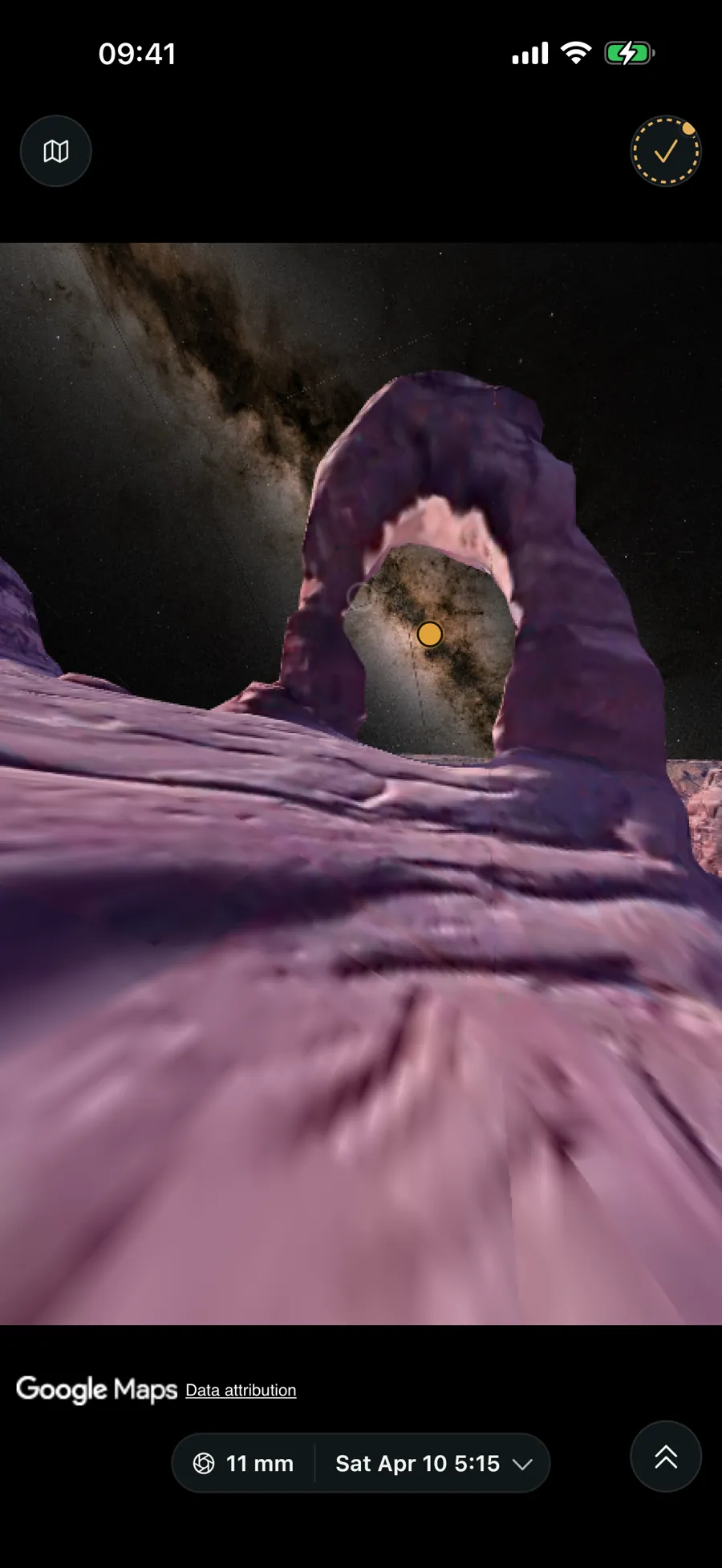
Step into a photoreal 3D world at your camera spot and see the sun, moon and Milky Way core at their true positions, then let Viewpoint find the day it all lines up.

On iPhone & Android · in any browser

Viewpoint's 3D world: Delicate Arch at eye level with the Milky Way core through the arch, the sun, moon and core at their true positions

3D world: Ultra, beta

Viewpoint running in a web browser — the dashboard with conditions, recent spots and your maps on a big screen
Viewpoint on iPad — the gallery split view with a spot's photo, EXIF and shoot plans on the big screen
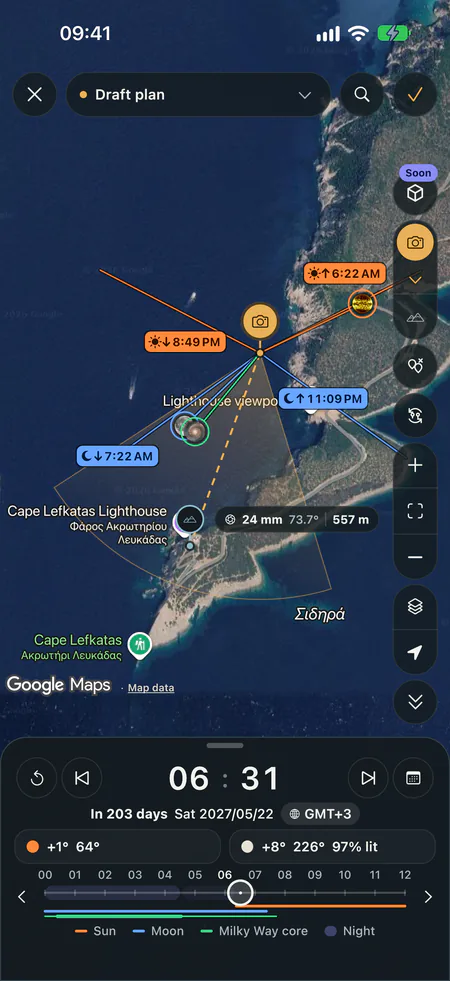
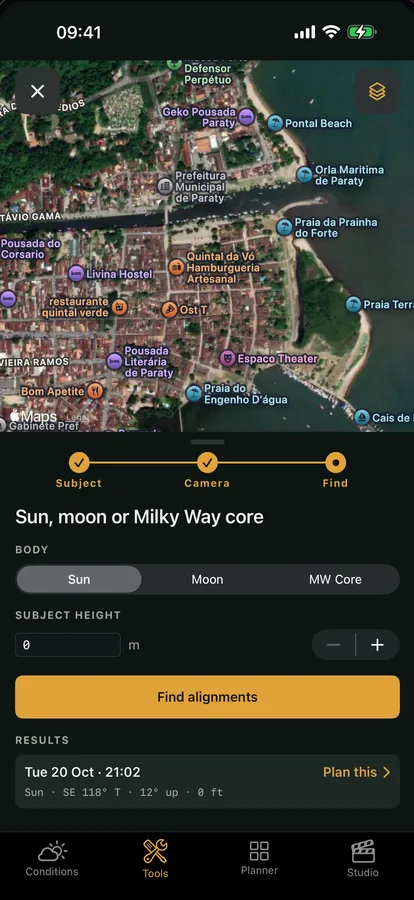
Explore in Viewpoint: camera and subject pins on a map with the sun, moon and Milky Way core drawn over them and the day timeline below
● On your phone & in any browser ● No ads, no tracking

New

Stand there before you go.

Pick your subject, then stand where you’ll stand in a photoreal 3D world, with the sun, moon and Milky Way core in place. Viewpoint finds the day it lines up.

Save the plan and Viewpoint watches the weather for you, with smart notifications when the sky will deliver.

  • Walk the 3D world, set your lens and scrub the time
  • Draw a frame and find when it lines up, 1, 2 or 5 years ahead
  • Saved plans keep watch and tell you when it will work

3D world and smart finder with Ultra · beta

Plan the shot

Viewpoint's 3D world: Delicate Arch at eye level with the Milky Way core through the arch, the sun, moon and core at their true positions

Conditions

You’ll know when it’s worth going out.

Every plan and every place you follow is watched against the weather and the sky.

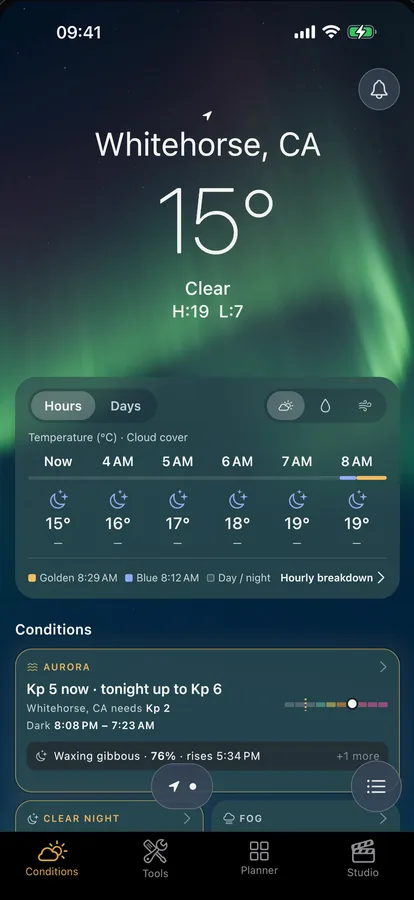
Smart alerts for every place you follow: aurora, golden light, fog and clear nights.

Each shows your next window, with a heads-up hours ahead.

  • A Conditions tab per place, with a tile and a sheet for every condition
  • Aurora Kp against what your place needs, and which way to look
  • Quiet by default: alerts belong to a place, with an aurora heads-up hours ahead

With Max

See conditions & alerts

What’s inside

One engine for the whole shoot.

Night sky & astro

Light pollution with the darker places nearby, the aurora with the Kp your spot needs, the Milky Way core and satellite transits. Line it all up with the Alignment Planner, then see it in AR Scout.

Almanac free · light pollution and aurora with Max · Alignment, AR Scout and transits with Pro

Atmospheric conditions

The hour-by-hour forecast behind every window, with the sun and moon alongside.

With Max

Field scouting

Capture spots with GPS, compass bearing and EXIF, file them in maps, and plan the shot in Explore — camera, subject and where the sun, moon and Milky Way will be, hour by hour. Run every field calculator too.

Explore and calculators free · the rest with Pro

Studio & creator tools

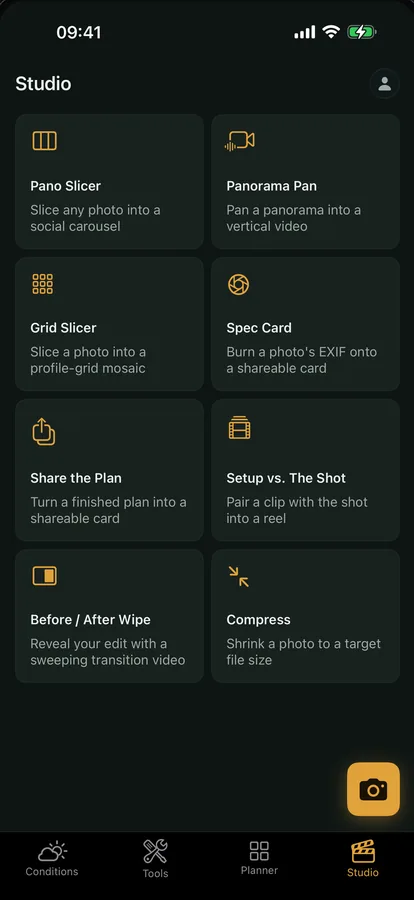
Slice panoramas into carousel tiles, build pan videos, make EXIF spec cards, and share the plan or a before-and-after — ready for your feed.

Studio with Pro · sharing with Max
How it works

From “somewhere worth shooting” to the shot.

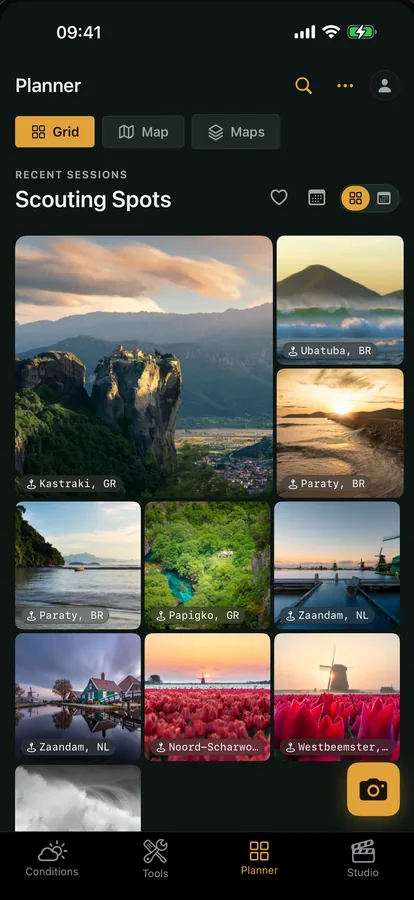
Your Viewpoint library: a grid of spots, each with its photo and place name 01 · SCOUT

Mark the spot

Drop a pin where you want to shoot. Captures are stamped automatically with GPS, compass bearing and EXIF, then filed in your library.

Explore in Viewpoint: camera and subject pins on a map with the sun, moon and Milky Way core drawn over them and the day timeline below 02 · PLAN THE LIGHT

Time the light

In Explore, place your camera and your subject, then drag the timeline to see exactly where the sun, moon and Milky Way will sit — any hour, any place.

Condition alerts listing golden-light likelihood per location 03 · BE THERE

Get the alert

Viewpoint watches the forecast and pushes you a notification when conditions line up for clear skies, fog or golden light.

Viewpoint in a desktop browser — the dashboard with the conditions strip, recent spots and your maps

Now on the web

Your whole library, on the big screen.

Open web.getviewpoint.app in any browser and pick up exactly where your phone left off. Reviewing a region, dropping pins, reading notes and reference photos, planning compositions — all far easier with a real pointer and a large map.

  • Locations, Maps & Spot detail — your full library
  • The map: drop pins, add notes & photos
  • Shoot planning, the almanac & the field calculators
  • Do it on one device, see it everywhere — it all syncs
Open the web app Part of Viewpoint Max
Your Viewpoint library: a grid of spots, each with its photo and place name

Your library

Scout it. Capture it. Keep it.

Every spot you find becomes a card in your library — the photo you made, the gear you used and exactly where you stood, captured the moment you press the shutter.

  • GPS, compass bearing & EXIF stamped on every capture
  • Photos, lens and settings saved alongside the spot
  • A searchable library, saved on your device
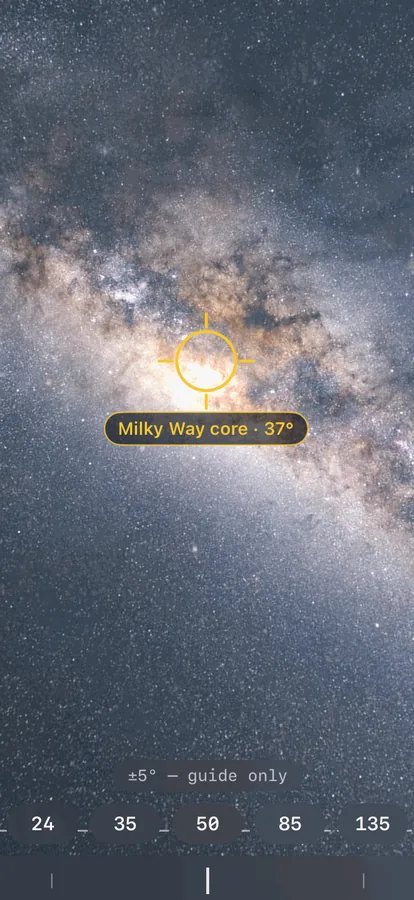
The augmented-reality view marking where the Milky Way core sits in the sky

Sun, moon & Milky Way

Know the sky before you go.

Check the phase, the dark-sky window and exactly when the Milky Way core rises — for any night and any place, computed right on your device.

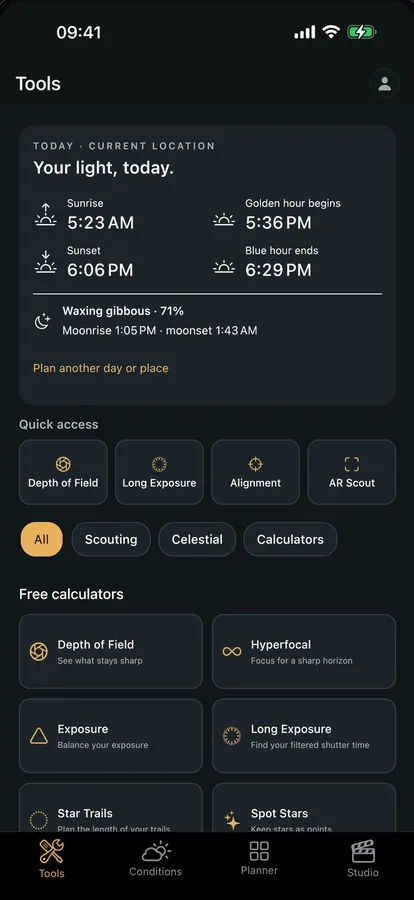
  • Golden hour, blue hour & twilight times
  • Moon phase and the nightly dark-sky window
  • Milky Way core rise, set & visibility

A full field kit

Everything you need, in your pocket.

Widgets

Put the light on your home screen.

Seven home- and lock-screen widgets keep the day’s light, tonight’s sky, your next shoot and live conditions a glance away — open to everyone, with the live-conditions widget part of Viewpoint Max.

Capture by voice or a single press, too — Snap a spot works with Siri, the Shortcuts app and the Action button.

What you can count on

An honest tool, not a data funnel.

Made by a photographer

Every decision is made in the field, not a boardroom.

No ads, no tracking

Viewpoint doesn’t sell data or run ad networks. Analytics is opt-in, and nothing personally identifying is collected.

Your data stays yours

Your library is yours — export it or delete your account yourself, any time. It lives on your device and, on the Max plan, syncs to our servers so it’s on your other devices too.

Field tools

And the tools you reach for every day.

Depth of field, hyperfocal, exposure, star trails and more, on every plan, with no purchase and no account needed.

Your next great shot is waiting.

Scout it, plan the light, and be there when it’s right — on your phone or the big screen.

On iPhone & Android · in any browser