🗂️ Workflow & Library
How to keep a photography shooting log (and why memory fails you)
Ask a photographer what the light did at their favourite spot last winter and watch them guess. We remember the photographs we made and forget almost everything around them — the exact time the sun cleared the ridge, the wind that killed the reflection, the settings that finally worked. A shooting log is the cure: a running record, tied to place and time, of what actually happened. It's the difference between a decade of experience and the same first year repeated ten times.
Experience in photography is mostly memory — knowing that this headland is a sunrise spot, that the fog pools in that valley on still autumn nights, that the ridge blocks the sun until nearly eight. The problem is that human memory is a terrible archive: it keeps the photograph and quietly discards the conditions that made it. A shooting log externalises what your memory drops, so your knowledge of a place accumulates instead of resetting. Photographers have kept them on paper for a century; the digital version is simply better, and here’s how to run one.
Why memory fails you (and a log doesn’t)
You think you’ll remember, and you won’t. Not because you’re careless, but because the brain stores the gist — “great morning at the coast” — and bins the specifics: the time, the tide, the wind, the settings. Those specifics are exactly what you need to repeat a success or avoid a failure. Worse, memory rewrites itself; you’ll misremember the golden light as later than it was and miss it next time. A log doesn’t embellish and doesn’t forget. It’s the honest record your future self will thank you for.
What’s worth recording every time
A useful log is short — a few facts you’ll actually consult, not an essay. For each visit to a spot, capture:
- When the light did what — “sun cleared the ridge 07:48”, “colour peaked ten minutes after sunset”. The timing that a generic sunrise table can’t tell you about this spot.
- The conditions — wind, cloud, tide, temperature-dew-point gap for fog. What made it work, or what killed it.
- What didn’t work — the failures are as valuable as the successes. “Too much wind for reflections”, “arrived late, missed the light” saves you the same mistake.
- The settings that landed it — focal length, aperture, ISO, shutter, and any filter. So the keeper is repeatable.
The discipline is brevity: record the handful of facts that change what you’d do next time, and nothing else.
The auto-fill advantage
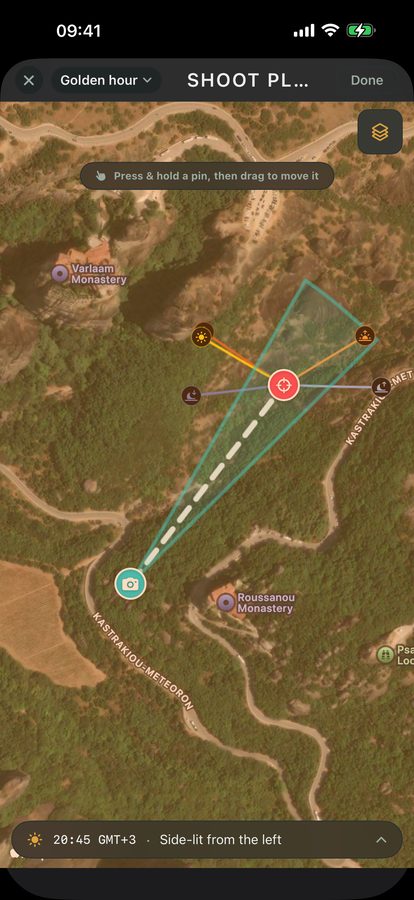
Here’s where a digital log leaves a paper notebook behind: most of what’s worth recording is objective data a device already knows. The GPS, the date and time, the sun and moon position, the weather — none of that needs writing down if your tool stamps it for you at the moment of capture. That’s the model Viewpoint uses: capture a spot and the objective record fills itself in automatically, leaving you to add only the judgement a machine can’t — “the reflection needs a dead-calm dawn”, “come back when the heather’s out.” A log you don’t have to remember to keep is a log you’ll actually have.
Turn single entries into a pattern
One entry is a note; a season of entries is knowledge. The value compounds when you can look back across every visit to a spot and see the pattern: this location has delivered three times, always on a still morning after rain; that one has disappointed twice at the time the almanac suggested, because the far ridge shades it. Tie every entry to the place — not a diary date — and the log organises itself into a per-location brief you can read before you drive out. Paired with a location library, it’s the whole point: places that remember what worked.
A habit that survives a bad week
The reason most logs die is friction — a separate notebook or app you have to remember, that feels like homework after a cold dawn. The fix is to make logging part of capture, not a chore that comes after. If recording a spot is the act of saving it, and the objective data is automatic, the habit survives the mornings when you’re tired and empty-handed. Keep the barrier that low and, a few years in, you’ll hold something rare: a tested, personal record of exactly how the light behaves at every place you shoot.
Quick-start checklist
- Don’t trust memory — it keeps the photo and bins the conditions that made it.
- Log the timing specific to the spot — when the light actually did what, not the generic table.
- Record the failures too — “too windy”, “arrived late” saves you the repeat.
- Let GPS, sun, moon and weather auto-stamp — write down only the judgement a device can’t.
- Tie every entry to the place, not the date — so visits accumulate into a per-location pattern.
- Make logging part of saving the spot — the low-friction habit is the one that survives.